
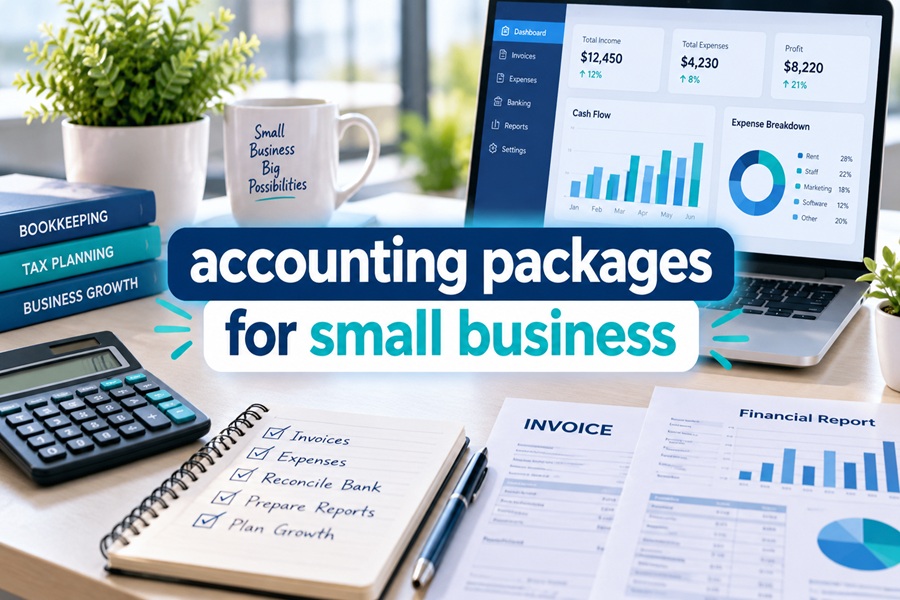
The word “package” makes accounting software sound like a box you buy once and open on your desk. That picture is about twenty years out of date. Today, an accounting package for a small business is really a bundle of separate jobs: keeping the ledger, getting paid, paying bills, running payroll, filing taxes, and sometimes having a human do the bookkeeping for you.
Some vendors sell all of those jobs under one roof. Others sell the ledger and let you plug in the rest. A third group sells the work itself. Each approach carries a different price shape and different risks.
Unpacking What a Package Actually Contains
Most small businesses need some version of these six modules.
- The general ledger. Bank feeds, categories, reconciliation and reports. This is the core every package starts with.
- Invoicing and payments. Sending invoices and collecting by card or bank transfer. Usually billed per transaction rather than monthly.
- Bills and spending. Tracking what you owe, scheduling payments and capturing receipts.
- Payroll. Paying employees, withholding taxes and filing payroll forms. Almost always a separate subscription.
- Tax support. Contractor 1099 forms, sales tax and year end reports for your preparer.
- Human help. A bookkeeper or accountant who reviews, corrects or does the work.
A package is simply some combination of these. Knowing which modules you need tells you which type of package makes sense.
Package Style One: The All in One Suite
This is the approach Intuit has built QuickBooks around and Zoho has built its business ecosystem around. One company supplies the ledger, payments, payroll, time tracking and often more, all sharing the same data.
QuickBooks Online is the clearest example. The ledger comes in tiers from Simple Start at $38 a month to Advanced at $340 a month after Intuit’s August 1, 2026 price change for Essentials, Plus and Advanced. On top sit QuickBooks Payments, QuickBooks Payroll, QuickBooks Time, Bill Pay and QuickBooks Live bookkeeping, each with its own price. Intuit’s August update reportedly folded premium payroll and bill pay tiers into the Advanced plan, which makes Advanced more of a true package than it used to be.
Zoho Books works the same way inside the wider Zoho family, connecting to Zoho Inventory, Zoho CRM and Zoho Payroll. Its free plan covers businesses under $50,000 in revenue, which makes it an unusually low cost entry point into a full suite.
The appeal is simplicity: one login, one support line, shared data. The tradeoff is concentration. When one company controls every piece, its price increases hit every piece at once. QuickBooks Payroll got its own increase this year on top of the core subscription change.
Package Style Two: The Mix and Match Stack
Many bookkeepers prefer a different model. They choose a strong ledger, then attach specialist tools for each other job.
A typical example pairs Xero for the ledger with Gusto for payroll, a receipt capture app for spending and an ecommerce connector for online sales. Xero raised its US prices on October 1, 2026 to $27, $59 and $97 a month, and every plan includes unlimited users. Gusto’s Simple payroll plan runs about $49 a month plus $6 per employee.
The appeal here is choice. Each module can be the best available for your industry, and if one tool disappoints, you swap it without moving your whole accounting system. Restaurants, ecommerce shops and construction firms often end up here because industry specific tools beat the generic modules inside a suite.
The tradeoff is integration work. Connectors can break, data can duplicate, and you pay several subscriptions. Someone has to own the setup, and that someone is usually a bookkeeper who knows the stack well.
Package Style Three: The Done for You Service
The third style sells outcomes rather than software. You pay a monthly fee, and a bookkeeping team keeps your books inside software they choose or you already own. QuickBooks Live is Intuit’s version, with experts reviewing categorization, reconciliation and the work of QuickBooks’ own AI agents. Independent bookkeeping firms offer the same idea, often on QuickBooks or Xero.
The appeal is time. Owners who hate bookkeeping hand it off entirely. The risk is dependency, and the bookkeeping industry learned that lesson sharply when Bench, a popular online bookkeeping service, abruptly shut down in late December 2024 before being acquired days later. Thousands of small businesses suddenly worried about access to their records right before tax season.
The lesson is simple. Make sure your books live in a standard platform you can access directly.
The Three Styles Compared
| Package style | Who it suits | Strengths | Watch out for |
|---|---|---|---|
| All in one suite | Owners who want one vendor and simple setup | Shared data, single login, fewer connectors | Price increases hit every module together |
| Mix and match stack | Businesses with industry specific needs | Best tool for each job, easy to swap pieces | Integration upkeep and several subscriptions |
| Done for you service | Owners who want the work handled | Saves the most owner time | Dependency on the provider and data access |
How Current Changes Affect Your Package
A few developments this year should shape what goes in your bundle.
AI is now part of the base package. Intuit has run AI agents across QuickBooks Online since mid 2025, handling categorization, reconciliation help, payment reminders and cash flow insights. Xero has its own assistant called JAX. These features mean the ledger module does more on its own, which can reduce how much human help you need to buy.
Contractor reporting changed. For payments made in 2026, the Form 1099 NEC and 1099 MISC threshold rose from $600 to $2,000. Whatever package you choose must track vendor totals and flag the right contractors at year end.
Payment fees matter more than ever. Card processing often costs more than the software. Intuit lists ACH bank transfers at 1 percent with a $15 maximum, and Xero includes standard ACH on its plans.
Choosing Your Package in Practice
Start with the modules, not the brand. Write down which of the six jobs you actually need. If you have no employees, payroll is off the list. If you rarely invoice, payments matter less. Then ask three questions.
Do you want one vendor or the freedom to swap pieces? Does your industry need a specialist tool that a suite does not handle well? And how much of the work do you want to do yourself?
A solo consultant may need only a ledger and payments. A growing restaurant may need a stack built around its point of sale. A busy owner may be best served by a service, as long as the books stay in a platform they can reach on their own.
The best accounting package is not the biggest bundle. It is the set of modules that covers your real work, from vendors you trust, with your data always within reach.